
AXEL VERA JIMENEZ

RADIO TUNER
March 2024 | College Project
Microgame in which players spin their joysticks as fast as they for 30 seconds to win. Can be played against a CPU or a second player. Developed with a team of 4 other members.
I served as the main game designer as well as main gameplay programmer for this project.

Background
This was developed as a part of design week at Sheridan College. This is essentially a week-long game jam where we are put into teams of 5, and are tasked with developing a game using specific tools or with a specific theme. Previous design week themes have included:
-
Develop a game using an alternate controller.
-
Desing a mechanic for a sandbox game.
-
Make a level in Minecraft based on poem.
For this design week we had to make a microgame using a custom framework called "microMix" that the professors put together in Unity. The games would all be displayed in an arcade cabinet on campus for all students to play. This has been my favorite design week by far.

GAME DESIGN
I started the week by doing some research on what makes a successful microgame. Here's some of the observations I made:

With these ideas in mind, I pitched a few different ideas including a game about trying to insert a USB stick into a computer, sorting mail , as well as the idea that eventually turned into Radio Tuner. We then selected a few of the ideas we liked and turned them into paper prototypes, and mine seemed to resonate the most with other students so that's the one we used.
Original Pitch
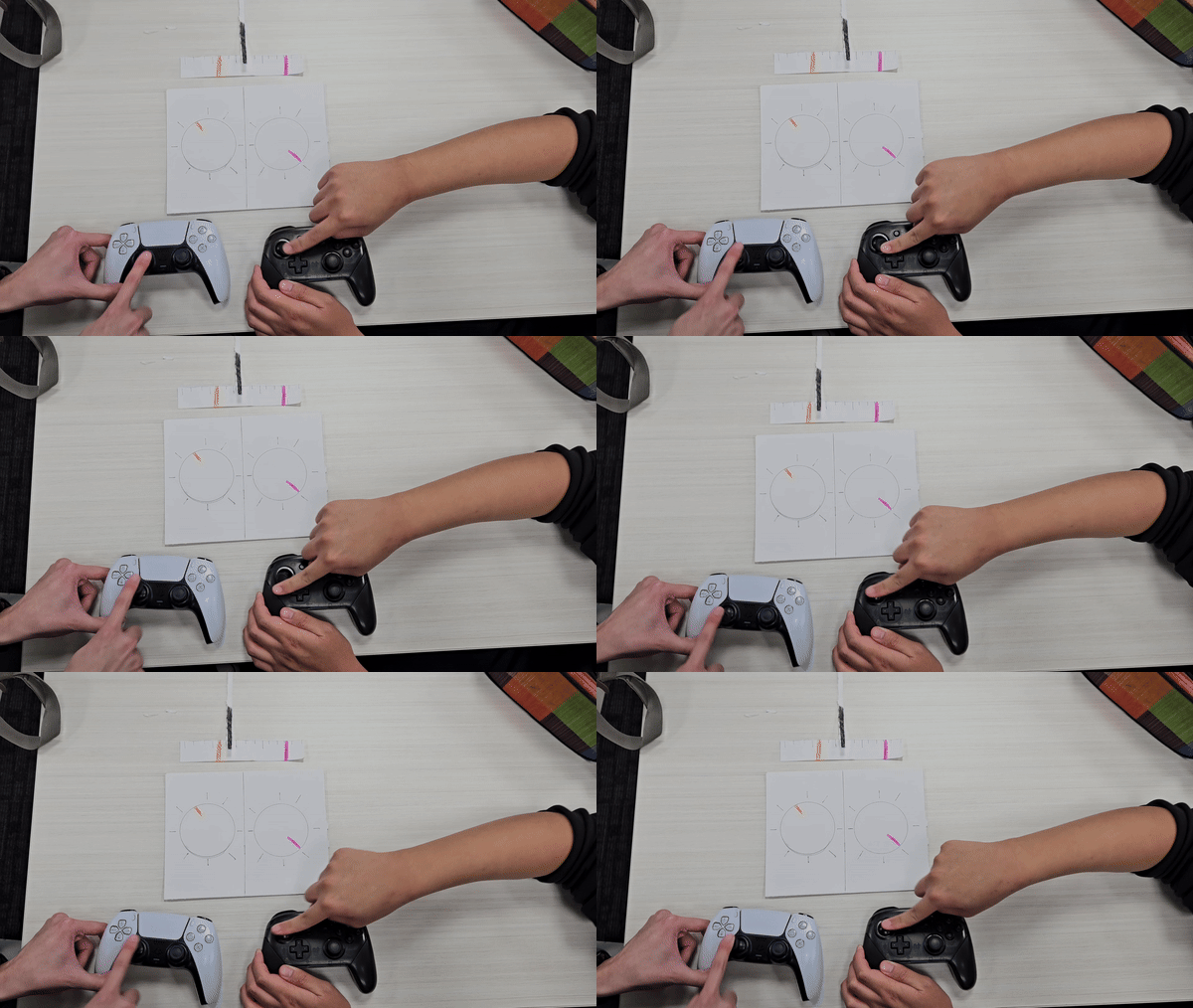
This first pitch had 2 players fighting over the control of a radio, spinning their joysticks to tune it to a specific station so they can listen to their song. This takes advantage of the fact that a lot of players already know how tuning a radio works, likewise, the motion of turning a knob translates naturally into spinning a joystick. Players could also strategically spin their sticks in the opposite direction to try and loop the radio back to their side and confuse their opponents. This is what that looked like in paper form:
Iterating on Design
As I noted earlier, successful microgames need to be simplistic in nature, so I made the decision to simplify this design for the final product. Now the objective is simply to have the radio tuned to your side by the end of the 30 second timer. This means that the game is now more of a test of endurance than anything else.
At the same time, you can't loop the radio to your side, or spin the joystick in the opposite direction for that matter. I wanted to make sure players understood exactly what they needed to do, and through testing I found that some players were spinning their sticks in the opposite direction, assisting their opponents, without realizing it. I then made the call to remove this feature so players would only receive feedback in-game when they were playing properly.
Teaching Play
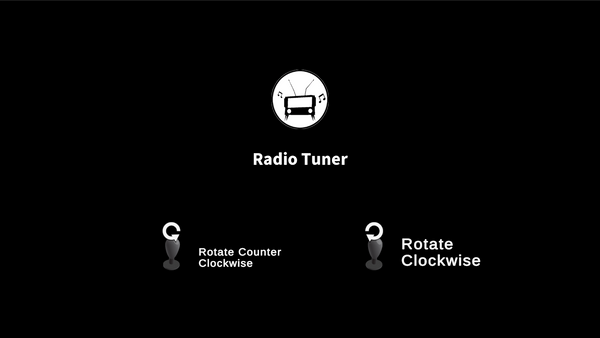
The microMix framework already required we add instructions before the game started, as controls that needed to be filled out, as well as a short on screen instruction that would appear as the game started, but I took some other measures to make sure players understood.
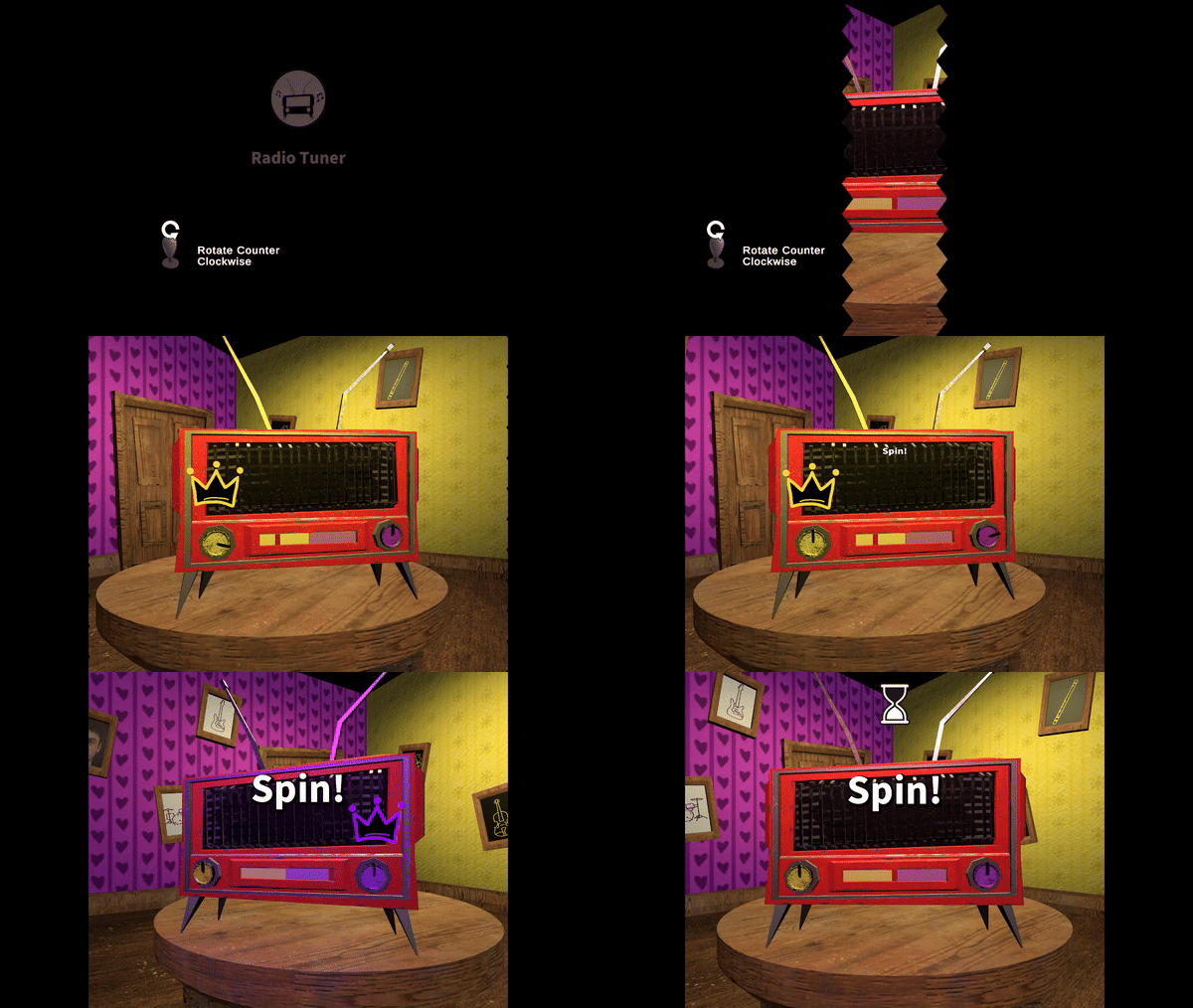
Firstly, I added a short cinematic as the countdown occurred showing the way that the game is played. As the purple knob rotates, the camera tilts towards the purple wall and a crown appears over their knob, then the same thing happens on the yellow side. This shows what it looks like when either player is winning, as well as reinforcing the motion they should be doing in case they missed the on-screen controls.
Audio Feedback
Since the game is about controlling a radio, we have a song for each of the sides. Luckily, we were able to collaborate with the Music Scoring for Screen and Stage (MSSS) students at Sheridan who managed to compose some songs for us. My request was that the 2 songs were part of clashing music genres, but that they have the same BPM so they could blend into each other as players took the lead. This was the end result.

Result
The final product was very successful in my opinion. Even though the game boils down to who can spin their sticks the fastest, it created a very competitive environment where the arcade cabinet would actually shake from how intense some of the matches got. Players were never really confused by the controls as far as I could tell, meaning their full attention could go to the game itself rather than figuring out how to play. Overall, it was very rewarding seeing people play the game, and seeing them be excited to play.

PROGRAMMING
As mentioned previously, this game was made using the microMix framework, this meant a lot of things were already set up for us before we even started working on the game, including:
-
Game timer
-
Controls screen
-
Scene transitions
-
Input management
Prototype
The first thing I wanted to implement was, of course, the spinning of the joystick rotating the dials. Initially I thought to have the dials follow the full 360 motion of the stick, but then realized that sticks on the arcade cabinet were only 8 directional, similar to a D-Pad. Due to this I decide to opt out of a solution where I compare the angle difference each frame to determine progress. Instead, I decided to go with the slightly messier solution of having all 8 joysticks positions in an array and the checking to see if the player hit the next position in the array.
void Update()
{
_stickInput = Stick;
//If stick hit next rotation
if (_stickInput == _nextDialPosition)
{
_nextDialPosition = GetDialPositions(_stickInput);
RotateDial(_directionRotated);
_tuner.UpdateSlider(_directionRotated * ValueToAdd);
}
}

Slider
The slider controls everything in the game, from the music, to the camera, to the lighting, etc. pretty much everything is hooked up to the slider in some way, shape or form. The slider is actually a very simple element, it is a float that goes from 0 to 1, then elements like lighting color, animation, and slider position are lerped using that value.
//Called when a player spins their stick
public void UpdateSlider(float valueToAdd)
{
_currentLerpValue += valueToAdd;
_currentLerpValue = Mathf.Clamp(_currentLerpValue, 0, 1);
LerpComponents();
}
private void LerpComponents()
{
//Lerp slider position
float lerpX = Mathf.Lerp(_leftEndPoint.position.x, _rightEndPoint.position.x, _currentLerpValue);
Marker.position = new Vector3(lerpX, Marker.position.y, Marker.position.z);
//Lerp light color
Spotlight.color = Color.Lerp(Yellow, Purple, _currentLerpValue);
//Play camera animation frame
_animator.Play(AnimToPlay.name, 0, _currentLerpValue);
}
Audio
Audio works much in the same way as the other lerped elements, but has some additional logic. Taking player 2's music as an example, we can make simple conversion from the slider value to the audio source volume. If the slider value is 0.25, player 1 is winning meaning that the music for player 2 would play at 0.25 volume. The opposite is true for player 1, so if the slider value is at 0.83 then their music should play at 0.17 volume, for this I subtract the slider value from 1.
Additionally, there is a white noise that is the most intense whenever the slider is in the middle. To get this effect I get the lowest volume between player 1 and player 2's music and multiply it by 2, this means that whenever the slider is in the middle (ie. both players are at 0.5 volume), the static will play at full volume, but get quieter as it moves way from the center.