
AXEL VERA JIMENEZ

SYSTEM OVERLOAD
September 2025 - Ongoing | Capstone Project
Description: System Overload is a hand-drawn acrobatic shooter about parrying enemy bullets and turning them into your own. Destroy an evil robot megacorp by vandalizing the streets with their blood, performing stylish parkour, and dancing through a bullet ballet - all fueled by your hatred for the system.
Role: Technical lead. Gameplay & Tools Programmer. Game Designer


Our team holding our 2 awards @ Level Up Showcase 2026
Background
System Overload was developed as a collaborative project with 5 other team members as our capstone project at Sheridan College. I was in charge of making a lot of the technical decisions on the project, deciding what our workflow would look like when using version control, among other things. Additionally I designed and programmed our character's fluid moveset, as well as many tools which contributed to our accelerated development pipeline.
GAME DESIGN
Character Controller
I designed Vicky's (our main character) character controller to be as snappy and responsive as possible from the get go, allowing tons of skill expression while maintaining a low learning curve. I managed to create a lot of complexity in movement with just the following 4 moves:

Run

Jump

Dash

parry
The key to that complexity comes in the finer details of the moveset. Using tricks such as coyote time, input buffering, animation cancelling, etc.
Take the parry as an example. If a bullet is parried not much happens, you wait until the animation is done and take control back. On the other hand, a perfect parry will restore your dash and midair jump. On top of that, you don't need to wait until the animation is over to take control back; instead, the parry can be instantaneously interrupted by a dash or jump (input buffering goes a long to make this interruption feel as responsive as it does).
With all of this in place, it means players can do things like these:


Check Out full design doc!
PROGRAMMING
CHARACTER CONTROLLER
Going off of my original design, I decided to implement the controller as a Finite State Machine using NodeCanvas (a visual FSM editor package). Though our character only really has 4 moves, the complexities of moving between just those 4 moves proved too much for a single script to handle.

Special Move Handling

basic Handling
Though it may look a little chaotic, it is easy to understand, and more importantly expandable and accessible to anyone on the team.
Say your sound designer wants to implement a sound when jumping, does it sound more intimidating to do that on a 1000+ line character controller script or a small, self-contained jump script?
protected override void OnExecute()
{
#region Jump Implementation
#region Juice
RuntimeManager.PlayOneShot("event:/TempSounds/TempJumpSound", agent.transform.position);
BodyAnimator.value.SetInteger("JumpsUsed", JumpsUsed.value);
BodyAnimator.value.SetTrigger("Jump");
#endregion
}
Jump juice implementation
Dev Console
The dev console is the single most useful tool I made for this project, it became a crucial part of our team's workflow which accelerated development is so many different ways.
Here's how it works:
-
Take a function you want to be able to execute during runtime
-
Give it the DevCommand attribute
-
...that's it!
[DevCommand(description: "Load level by build index")]
private void LoadLevel(int levelIndex)
=> SceneManager.LoadScene(index);

Single line implementation!
The dev console will automatically read the function name and parameters and display them in addition to the user added description. Though of course, the name of the command and formatting of the parameters can be overridden in the attribute declaration if necessary.
Another useful feature is the ability to bind commands to keys at runtime. This is done by adding you key as an additional parameter when executing a command. For example: Typing "ToggleHUD h" means you can now toggle the HUD on and off when pressing the 'H' key.

*Mashing 'H' key to toggle hud*
As an added bonus, I made it really simple to create custom skins for the dev console. Since I made the console using Unity's IMGUI system a single scriptable object is responsible for determining the console's look. Here's some examples:


As you can see, the skin editor is really flexible and allows people to uhhh...get creative with their dev console.
Steam Integration
Steam integration was handled using Facepunch (a C# wrapper for the Steamworks API)
Using this, I was able to implement achievements into the game, both using simple triggers, as well as leveraging Steam Stats for achievements requiring progression.

Additionally, and more importantly, I used the Steamworks API to implement a speedrunning leaderboard into the game. This has been the lifeblood of our community, with people spending upwards of 40hrs perfecting their times on our 5min demo. You can even filter the leaderboard to showcase scores around you, or to only show your friends.

other
Here's some more things I did for System Overload!
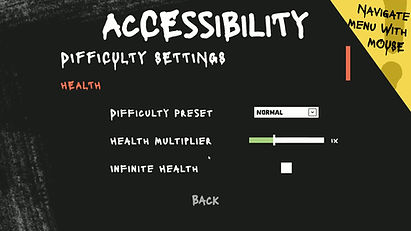
Difficulty Settings (yes these all work)

Aiming Algorithm

Play From Here Tool
